




Skip to content
Pacific Training CenterPacific Training Center
  • About Us
  • Courses

      ☆ Structural Designing Courses

      • STAAD Pro
      • ETABS
      • Revit Structural

      ☆ BIM Courses

      • Basic BIM Package
        (Revit + Navisworks + Solibri)
      • Advanced BIM Package
        (Revit + Navisworks + Solibri + AutoCAD + Civil 2D + Tekla Structures)
      • Premium BIM Master Package
        (All above + BIM360 + Trimble Connect + Mini Project)

      ☆ Steel Detailing Technical Courses

      • Steel Detailing Technicals
        (Self Learning)
      • Steel Detailing Technicals
        (Live Instructor-Led Session)

      ☆ Tekla Structures Courses

      • Structural Steel Detailing Training Course (SSDTC)
      • Tekla Structures Basic Course
      • Tekla Structures Modeling Course
      • Tekla Structures Editing Course
      • Tekla Structures Advance Course
      • Tekla Structures Certification Course
      • Tekla Structures Professional Course
        (Weekend Batches)

      ☆ Draftsman Courses

      • Civil Draftsman
      • Mechanical Draftsman
      • Structural Draftsman

      ☆ 2D Drafting Courses

      • AutoCAD 2D
      • AutoCAD 3D

      ☆ 3D Designing/Rendering Courses

      • SketchUp & Lumion
  • Our Students
  • Team & Trainers
  • More
    • Placement Preparation
    • Refer & Earn
    • Associates
    • Blogs
    • Hire From Us
    • Contact Us
  • LMS LOGIN
Pacific Training CenterPacific Training Center
  • About Us
  • Courses

      ☆ Structural Designing Courses

      • STAAD Pro
      • ETABS
      • Revit Structural

      ☆ BIM Courses

      • Basic BIM Package
        (Revit + Navisworks + Solibri)
      • Advanced BIM Package
        (Revit + Navisworks + Solibri + AutoCAD + Civil 2D + Tekla Structures)
      • Premium BIM Master Package
        (All above + BIM360 + Trimble Connect + Mini Project)

      ☆ Steel Detailing Technical Courses

      • Steel Detailing Technicals
        (Self Learning)
      • Steel Detailing Technicals
        (Live Instructor-Led Session)

      ☆ Tekla Structures Courses

      • Structural Steel Detailing Training Course (SSDTC)
      • Tekla Structures Basic Course
      • Tekla Structures Modeling Course
      • Tekla Structures Editing Course
      • Tekla Structures Advance Course
      • Tekla Structures Certification Course
      • Tekla Structures Professional Course
        (Weekend Batches)

      ☆ Draftsman Courses

      • Civil Draftsman
      • Mechanical Draftsman
      • Structural Draftsman

      ☆ 2D Drafting Courses

      • AutoCAD 2D
      • AutoCAD 3D

      ☆ 3D Designing/Rendering Courses

      • SketchUp & Lumion
  • Our Students
  • Team & Trainers
  • More
    • Placement Preparation
    • Refer & Earn
    • Associates
    • Blogs
    • Hire From Us
    • Contact Us
  • LMS LOGIN

Which Software Should Engineering Students Learn in 2026 for Better Career Opportunities?

  • Home
  • Other
  • Which Software Should Engineering Students Learn in 2026 for Better Career Opportunities?
Breadcrumb Abstract Shape
Other

Which Software Should Engineering Students Learn in 2026 for Better Career Opportunities?

  • March 10, 2026
  • Com 0
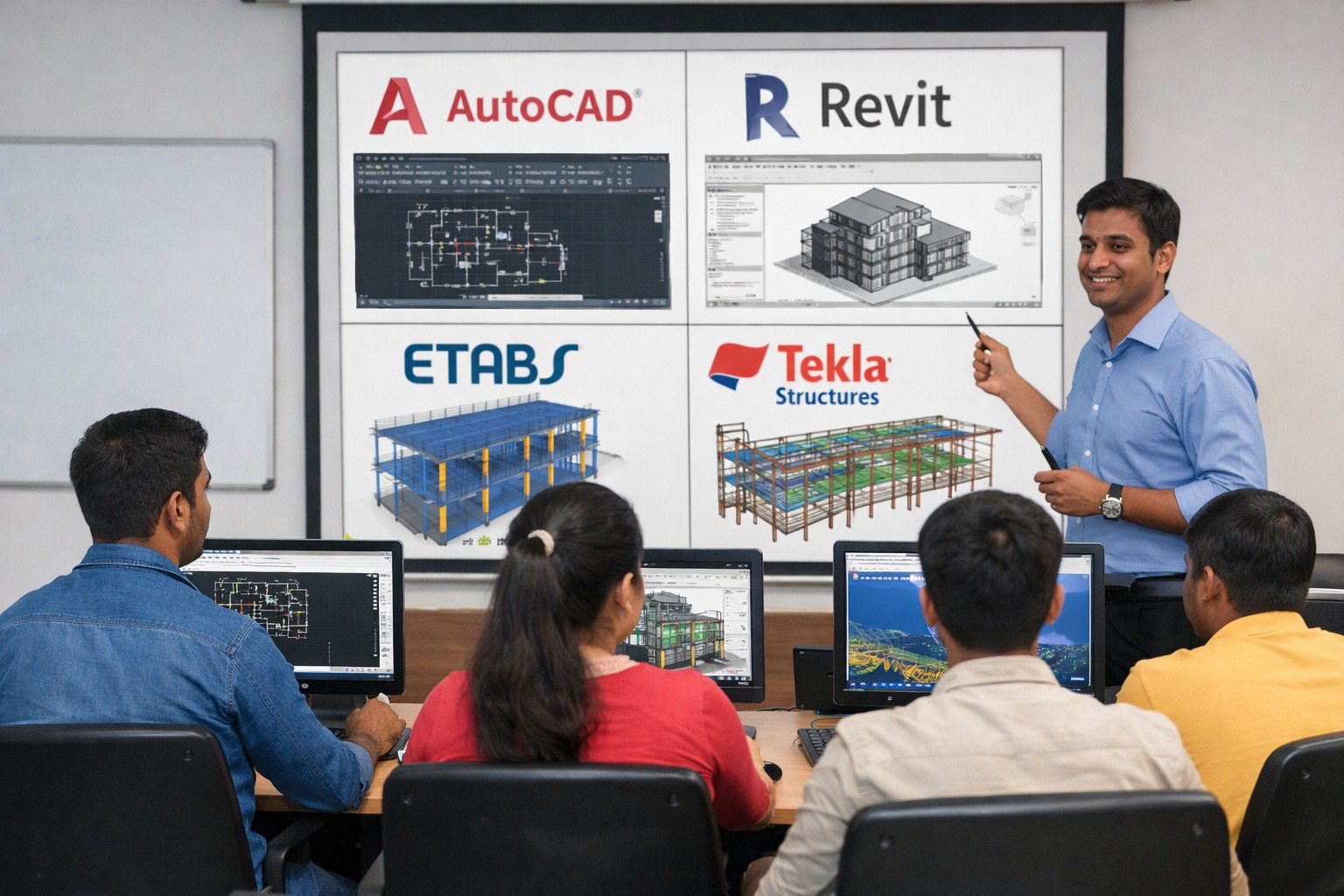
Engineering students learning AutoCAD, Revit, ETABS and Tekla software for engineering career skills

The engineering industry is changing rapidly with the adoption of advanced design and modeling technologies. Companies now expect graduates to have not only theoretical knowledge but also practical software skills used in real projects.

Because of this shift, many students search online for which software engineering students should learn in 2026 to improve their career opportunities.

Learning the right engineering software can help students understand design processes, improve technical skills, and become more confident when applying for jobs.


Why Software Skills Are Important for Engineering Students

Today’s engineering companies rely heavily on digital design tools and project modeling software. These tools help professionals create accurate drawings, perform analysis, and coordinate projects efficiently.

Students who learn industry software gain several advantages:

  • Better understanding of technical drawings
  • Practical knowledge of design workflows
  • Improved confidence during interviews
  • Higher chances of getting job opportunities

This is why many students choose professional training institutes such as Pacific Training Center to develop practical software skills before starting their careers.

Top Software Engineering Students Should Learn in 2026

To stay competitive in the industry, engineering students should focus on learning software that is widely used in design, analysis, and construction projects.

1. AutoCAD

AutoCAD is one of the most widely used drafting software tools in engineering and construction industries.

Students learn how to:

  • Create technical drawings
  • Prepare 2D layouts and plans
  • Understand professional drafting standards

Learning AutoCAD is often the first step for engineering students entering the design field.


2. Revit (BIM Software)

Revit is a powerful Building Information Modeling (BIM) software used for creating intelligent 3D building models.

Key benefits of learning Revit include:

  • Understanding BIM workflows
  • Creating 3D models of buildings
  • Coordinating architectural, structural, and MEP elements

BIM technology is growing rapidly, making Revit a valuable skill for future engineers.

3. ETABS

ETABS is widely used for structural analysis and design of buildings.

Engineering students learn how to:

  • Analyze building structures
  • Understand load distribution
  • Perform structural design calculations

Knowledge of ETABS is particularly useful for students interested in structural design.


4. STAAD Pro

STAAD Pro is another important structural analysis software used globally by engineering firms.

Students gain experience in:

  • Structural modeling
  • Load analysis
  • Structural stability evaluation

This software is commonly used for large infrastructure and structural projects.


5. Tekla for Steel Detailing

Tekla is a highly specialized software used for steel detailing and fabrication drawings.

By learning Tekla, students can understand:

  • Steel structure modeling
  • Fabrication drawings for steel components
  • Detailed construction documentation

This skill is valuable for students who want to work in steel design and detailing projects.

How Learning Engineering Software Improves Career Opportunities

Students who develop strong software skills become more attractive to employers. Companies prefer candidates who can quickly adapt to real project environments.

Benefits of learning engineering software include:

  • Faster career growth
  • Better understanding of project execution
  • Increased job opportunities in design firms and construction companies
  • Strong technical profile for fresh graduates

Institutes like Pacific Training Center help students learn these tools through practical training and project-based learning, which makes it easier to apply these skills in professional environments.


Choosing the Right Training Institute

When selecting a software training institute, students should consider several factors such as practical learning, experienced trainers, and industry-focused training methods.

A structured training program helps students understand how software is used in real engineering projects.

Many students choose Pacific Training Center because the training focuses on hands-on learning, real project examples, and step-by-step guidance that helps students build strong technical skills.


Conclusion

Engineering students who want to build strong careers in 2026 must focus on developing practical software skills along with theoretical knowledge. Tools like AutoCAD, Revit, ETABS, STAAD Pro, and Tekla are widely used in the engineering and construction industry.

By learning these tools and understanding real project workflows, students can significantly improve their career opportunities and become better prepared for the professional world.

Structured software training at institutes such as Pacific Training Center can help students gain the practical knowledge needed to succeed in the industry.

Share on:
Why Skill-Based Draftsman & AutoCAD Courses Are Important After 10th & 12th in 2026

Leave a Reply Cancel reply

Your email address will not be published. Required fields are marked *

Search

Latest Post

Thumb
Which Software Should Engineering Students Learn in
March 10, 2026
Thumb
Why Skill-Based Draftsman & AutoCAD Courses Are
February 27, 2026
Thumb
Best AutoCAD Training Institute in Ratnagiri –
February 25, 2026

Categories

  • CAD (3)
  • Draftsman (3)
  • Other (6)
  • Tekla (2)

Archives

  • March 2026
  • February 2026
  • June 2025
  • May 2024
  • March 2024
pacific-training-footer-white-logo.png

Shape your future with job-ready courses designed to boost your skills and confidence.

Contact Us for any query:
Call/WhatsApp: +91 83699 80107
Email: info@pacifictraining.in

  • We are in:
Navi Mumbai
Ratnagiri

Company

  • About Us
  • Team & Trainers
  • Associates
  • Contact Us
  • Refer & Earn
  • LMS Login

Resources

  • Our Students
  • Placement Preparation
  • Blogs
  • HTML Sitemap

Career

  • Hire From Us
  • Work With Us

☆ Structural Designing Courses

  • STAAD Pro
  • ETABS
  • Revit Structure

☆ BIM Courses

  • Basic BIM Package
    (Revit + Navisworks + Solibri)
  • Advanced BIM Package
    (Revit + Navisworks + Solibri + AutoCAD + Civil 2D + Tekla Structures)
  • Premium BIM Master Package
    (All above + BIM360 + Trimble Connect + Mini Project)

☆ Steel Detailing Technical Courses

  • Steel Detailing Technicals
    (Self Learning)
  • Steel Detailing Technicals
    (Live Instructor-Led Session)

☆ Tekla Structures Courses

  • Structural Steel Detailing Training Course (SSDTC)
  • Tekla Structures Basic Course
  • Tekla Structures Modeling Course
  • Tekla Structures Editing Course
  • Tekla Structures Advance Course
  • Tekla Structures Certification Course
  • Tekla Structures Professional Course
    (Weekend Batches)

☆ Draftsman Courses

  • Civil Draftsman
  • Mechanical Draftsman
  • Structural Draftsman

☆ 2D Drafting Courses

  • AutoCAD 2D
  • AutoCAD 3D

☆ 3D Designing/Rendering Courses

  • SketchUp & Lumion
© 2025 Pacific Training Centre. All rights reserved.

Terms of Use

Privacy Policy

Icon-facebook Icon-linkedin2 Icon-instagram Icon-youtube
Pacific Training CenterPacific Training Center